How to Set Motion Detection Record on AHD DVR/NVR?
When AHD DVR/NVR in motion detection recording mode, it costs less HDD storage space than normal record,and can also alarm when there is any motion.
Following we’ll show you how to set Motion Detection.
1--Make sure there is Hard Disk in the DVR.
2--Enter AHD DVR/NVR menu,set as following:
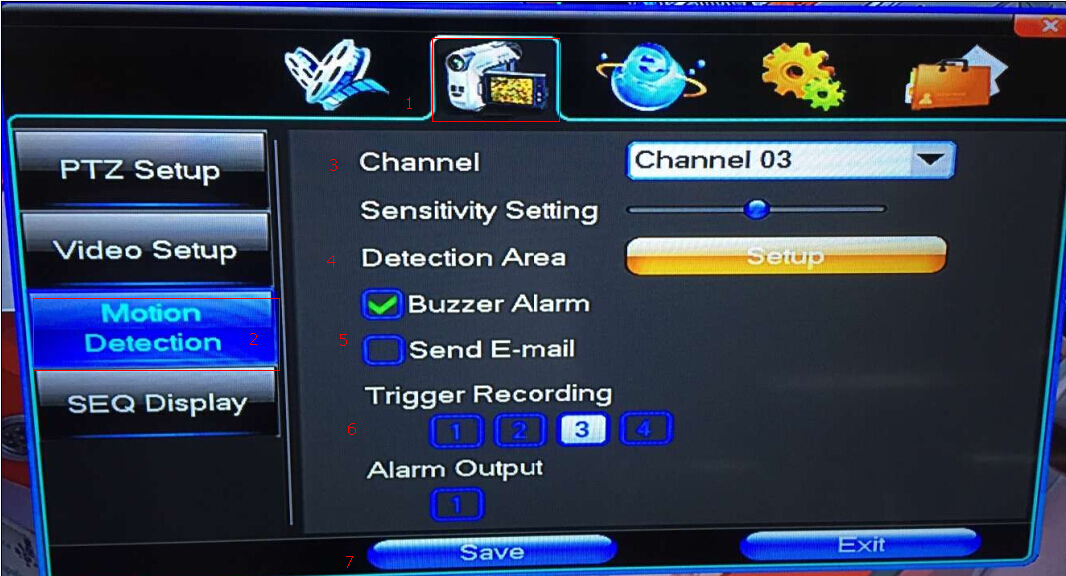
No.3: choose the camera channel that you want to set motion detection. No.6 Trigger
Recording should be the same as No.3.
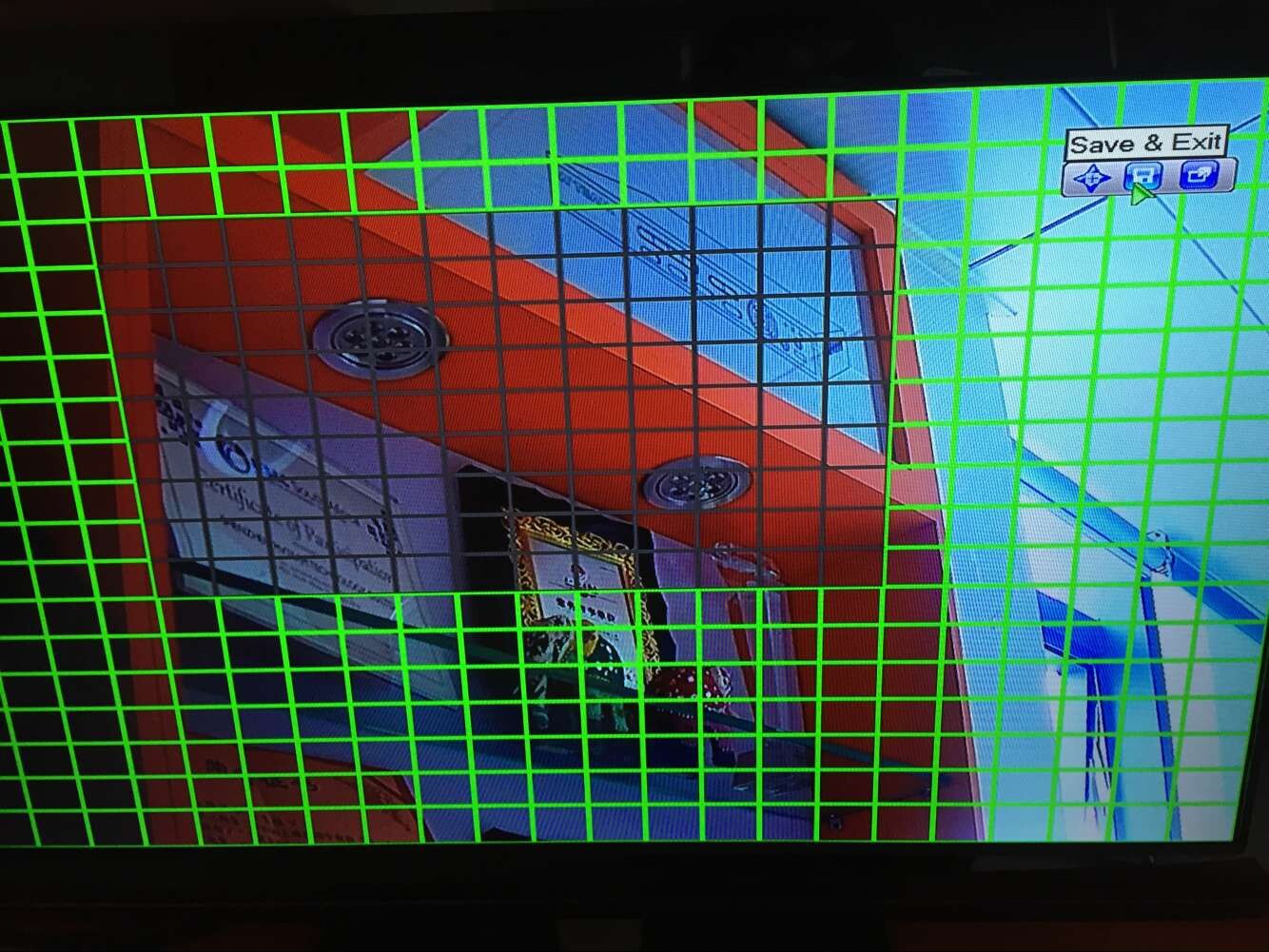
No.4: click “Setup”, select the area for motion detection. Then click “Save & Exit”
No.5: You can choose “Buzzer Alarm” or “send email”.
If you choose”Buzzer Alarm”, there will have the sound “beeps” when there is motion.
For “send email”, pls check here to see how to realize email alarm:MVTEAM DVR Three steps to realize email alarm .
No.7: save the settings.
3--Go to “Recording Schedule” as following:
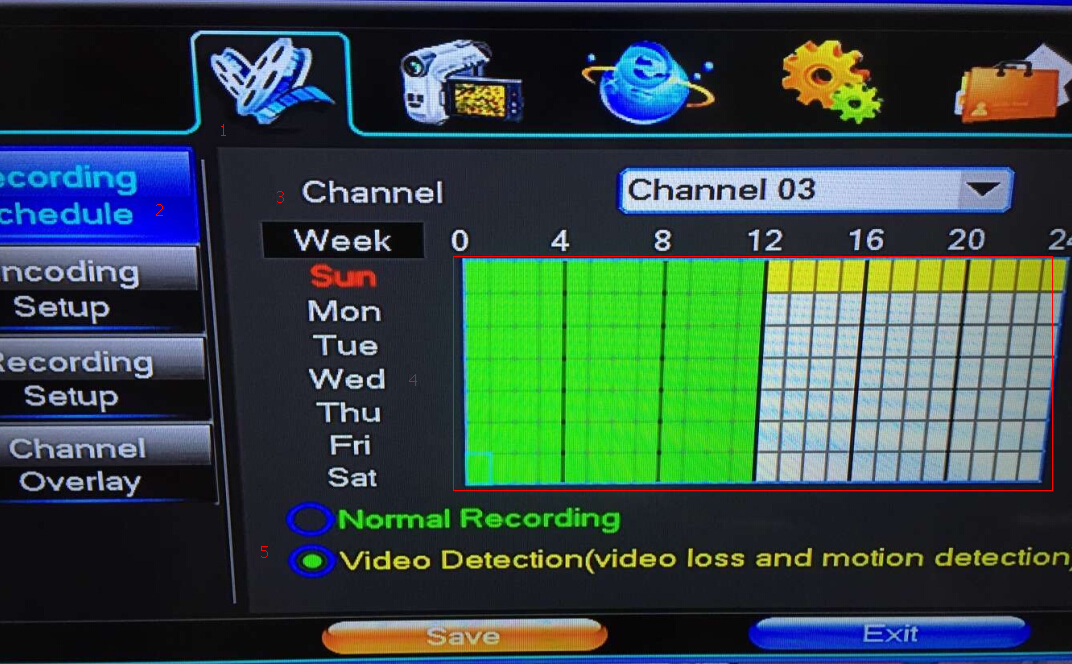
No.3 should be the same channel as “Motion Detection” settings.
No.4: select the time area you want to record.
No.5: choose “Video Detection” and “save”
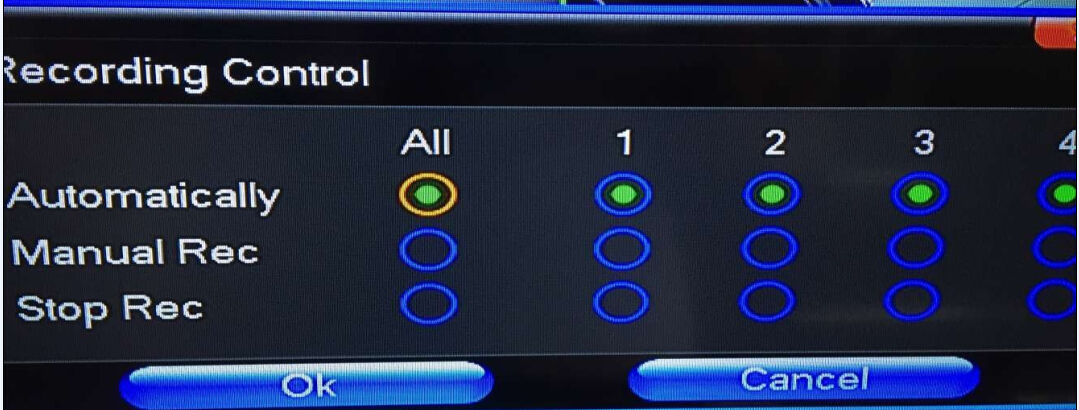
4--Go to “Recording Control”
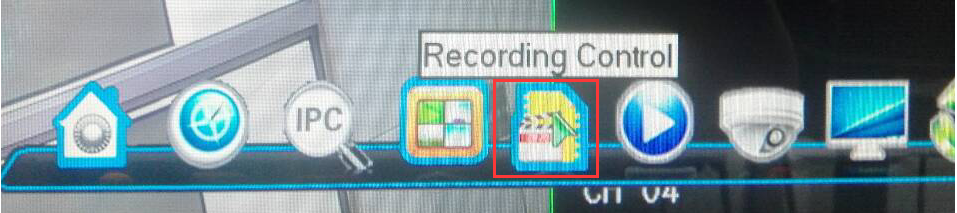
Choose “Automatically”, that means the DVR will record as you set.
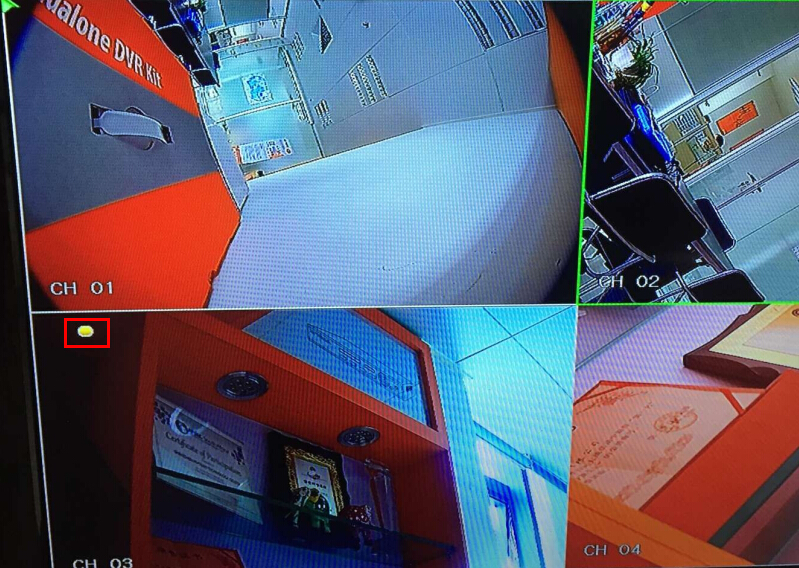
5-When there is motion in the area you set,there is a yellow dot on the screen,
the DVR will buzz and record.
Shenzhen MVTEAM Technology Co.,Ltd is a professional China AHD DVR,NVR supplier.
Any questions or needs about our CCTV camera and DVR, welcome to contact us !